
Moving business systems to the cloud can improve flexibility, collaboration and access to information. However, a successful cloud migration involves much more than transferring files from a local server to online storage.
The move can affect daily workflows, software performance, security, costs and business continuity. Migrating without a clear plan may create unnecessary disruption or leave the business with a cloud environment that is difficult to manage.
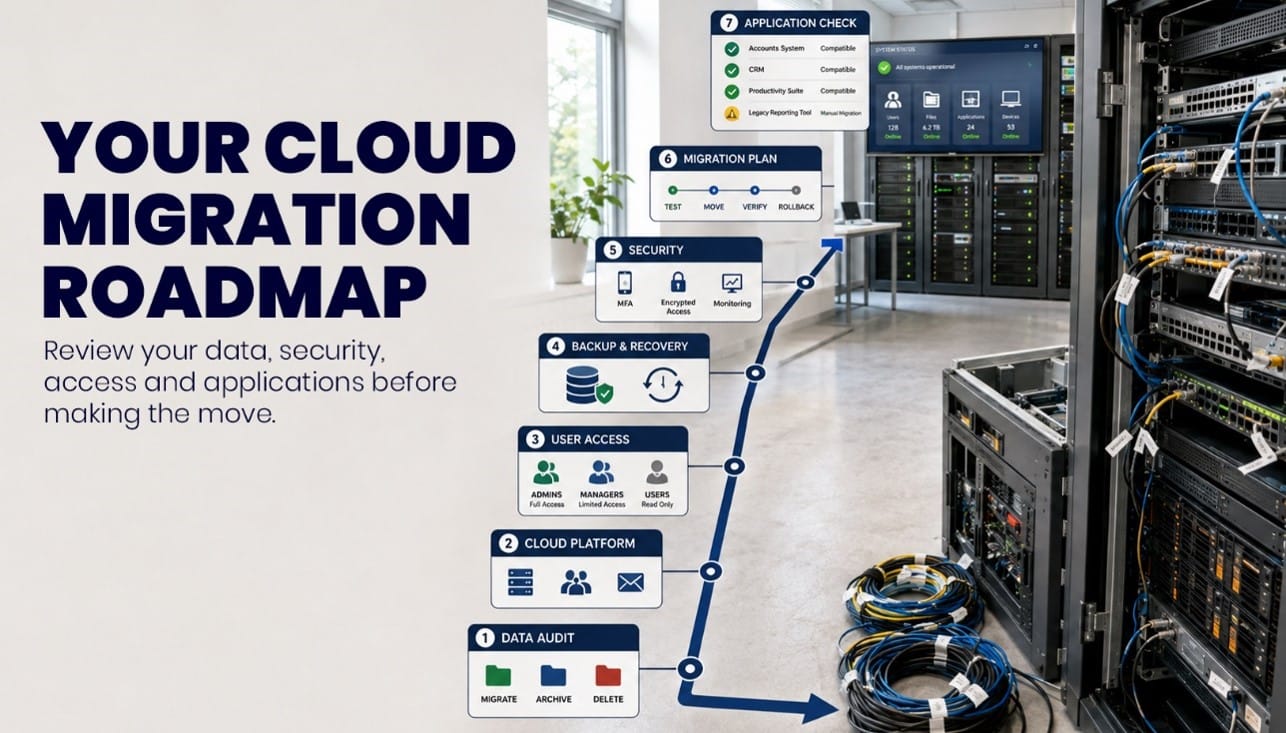
Before beginning the project, make these seven important decisions.
1. What Should Be Migrated?
Moving everything without first reviewing it can increase storage costs and carry existing organisational problems into the new environment.
Start by auditing your current data, applications and infrastructure. Identify what employees actively use, what must be retained, what should be archived and what can be deleted securely in line with your retention responsibilities.
The review should cover:
- Shared files and departmental folders
- Email and calendar data
- Business applications and databases
- User accounts and permissions
- Archived and duplicated information
- Existing backup data
- Devices and remote-access requirements
This process also helps identify who owns important data and which systems are essential for everyday operations. A cleaner, well-documented starting point makes the migration easier to plan and manage.
2. Which Cloud Platform Meets Your Requirements?
Microsoft 365 provides services such as Exchange Online, Teams, SharePoint and OneDrive, but the right solution depends on how your organisation works.
Some businesses may need Microsoft 365 for communication and document collaboration. Others may also require cloud-hosted servers, virtual desktops, specialist software hosting or a combination of cloud and on-premises infrastructure.
Before selecting a platform, consider:
- Existing software integrations
- Employee workflows
- Security and compliance requirements
- Remote-working needs
- Storage and performance demands
- Licence and infrastructure costs
- Future growth plans
- Availability of ongoing technical support
Focus PC’s Managed Cloud services can help your business compare suitable options and design an environment around operational needs rather than selecting technology in isolation.
3. Who Should Have Access to What?
Cloud migration is an opportunity to correct outdated or inconsistent permissions.
Access should be based on employees’ roles and responsibilities. Users should only be able to view or change the information required for their work, while administrator privileges should be tightly controlled.
This is particularly important when planning cloud migration for accountancy firms. Financial records, payroll information, tax documentation and client data should not be accessible to every employee simply because they work within the same organisation.
Before migration, decide:
- Which users require access to each system or folder
- Which permissions are read-only and which allow editing
- Who can share information externally
- How guest and contractor access will be controlled
- Who will hold administrator privileges
- How access will change when someone moves role or leaves
Defining these rules before data is transferred is generally easier than attempting to reorganise permissions after the new environment is already in use.
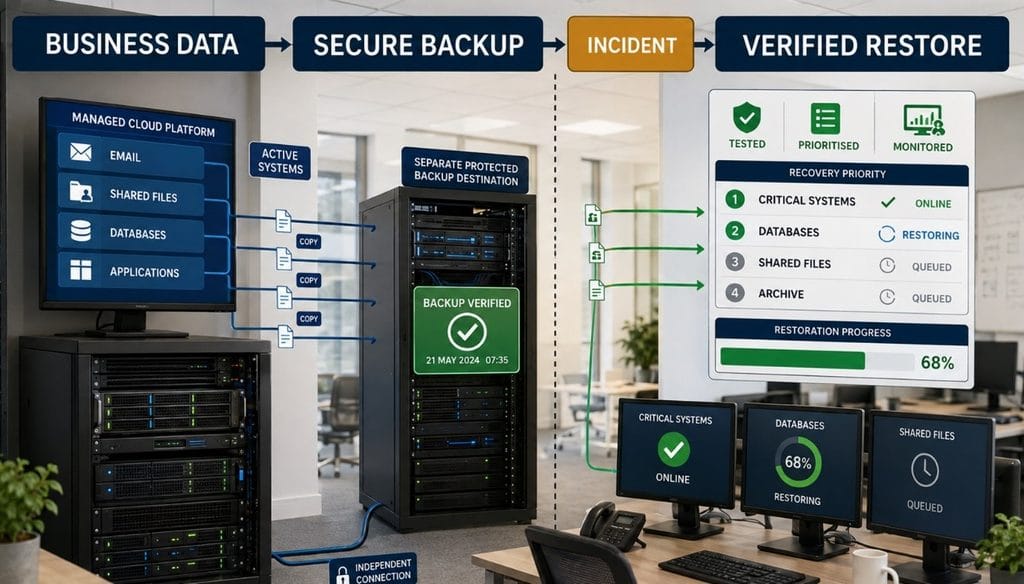
4. How Will Data Be Backed Up and Recovered?
Cloud platforms provide resilience and may include native retention or recovery features, but businesses should confirm whether these meet their specific recovery requirements.
Accidental deletion, ransomware, misconfigured retention settings and malicious activity can still affect cloud-hosted information. The migration plan should therefore define what must be backed up, how long copies must be retained and how quickly important systems need to be restored.
Consider:
- Which cloud services and datasets need additional backup
- Where backup copies will be stored
- How backup access will be protected
- How frequently backups must run
- How long different types of data must be retained
- How recovery procedures will be tested
- Which systems must be restored first after an incident
Backup and recovery planning should form part of the wider business-continuity strategy rather than being treated as a separate technical task.
5. What Security and Compliance Controls Are Required?
Security controls should be designed before users and information are moved into the new environment.
At a minimum, businesses should consider multi-factor authentication, secure administrator accounts, device management, appropriate encryption, security monitoring and policies for sharing information externally.
The precise controls required will depend on the data being processed and the risks faced by the organisation. Businesses handling personal, financial, legal or health information may have additional legal, regulatory or contractual responsibilities.
An experienced IT Consultancy can assess the proposed environment and help the business determine appropriate controls. This may include:
- Identity and access management
- Multi-factor authentication
- Conditional Access policies
- Device-compliance requirements
- Data-retention and sharing controls
- Logging and security monitoring
- Incident-response procedures
- Documentation of technical and organisational measures
Standards such as ISO 27001 may provide a useful information-security framework, while UK GDPR obligations must be considered where personal data is processed. However, using a particular cloud service does not by itself make a business compliant.
6. How Will Downtime and Disruption Be Managed?
Some cloud migrations can be completed outside normal working hours, while larger or more complex projects may need to be delivered in stages.
A phased migration can allow the business to test systems with a smaller group before moving every employee. A single cutover may be appropriate in other situations, but it requires detailed preparation and a clear rollback plan.
The migration schedule should identify:
- Which systems will be moved first
- When users may experience disruption
- How data changes will be synchronised
- How employees will receive instructions and support
- What testing must be completed before launch
- Who will make the final go-live decision
- How the original environment will be restored if necessary
Employees should also understand what will change and where they can get help. Clear communication and user training can prevent avoidable confusion once the new system becomes available.
7. Will Existing Applications Work Properly in the Cloud?
Many businesses depend on specialist or older applications that were originally designed for local servers or office-based networks. Assuming these applications will work normally after migration can create performance, compatibility or licensing problems.
Each essential application should be reviewed with its supplier or an experienced IT specialist. The assessment should consider:
- Cloud-platform compatibility
- Database and server requirements
- Software licensing restrictions
- Integration with Microsoft 365 or other systems
- Internet bandwidth and performance
- Printer, scanner and peripheral requirements
- Security and remote-access controls
- Supplier support for the proposed configuration
This is another important consideration in cloud migration for accountancy firms, which may depend on tax, payroll, audit and practice-management applications.
Focus PC’s Cloud and Remote Working solutions can help businesses provide secure access to compatible systems and specialist applications without compromising manageability or user experience.
Plan the Migration Around Your Business
Cloud migration should improve the way your organisation operates. It should not simply reproduce an outdated server environment in a different location.
Focus PC helps businesses assess their existing systems, select suitable cloud services and manage the transition from planning through to testing and ongoing support. For organisations considering cloud migration in London, this consultancy-led approach helps ensure that security, access, application compatibility and business continuity are considered before the move begins.
The result is a cloud environment designed around real working practices, operational priorities and future growth.
Planning a move to the cloud? Contact Focus PC to arrange a cloud-readiness assessment and discuss the most appropriate migration strategy for your business.