
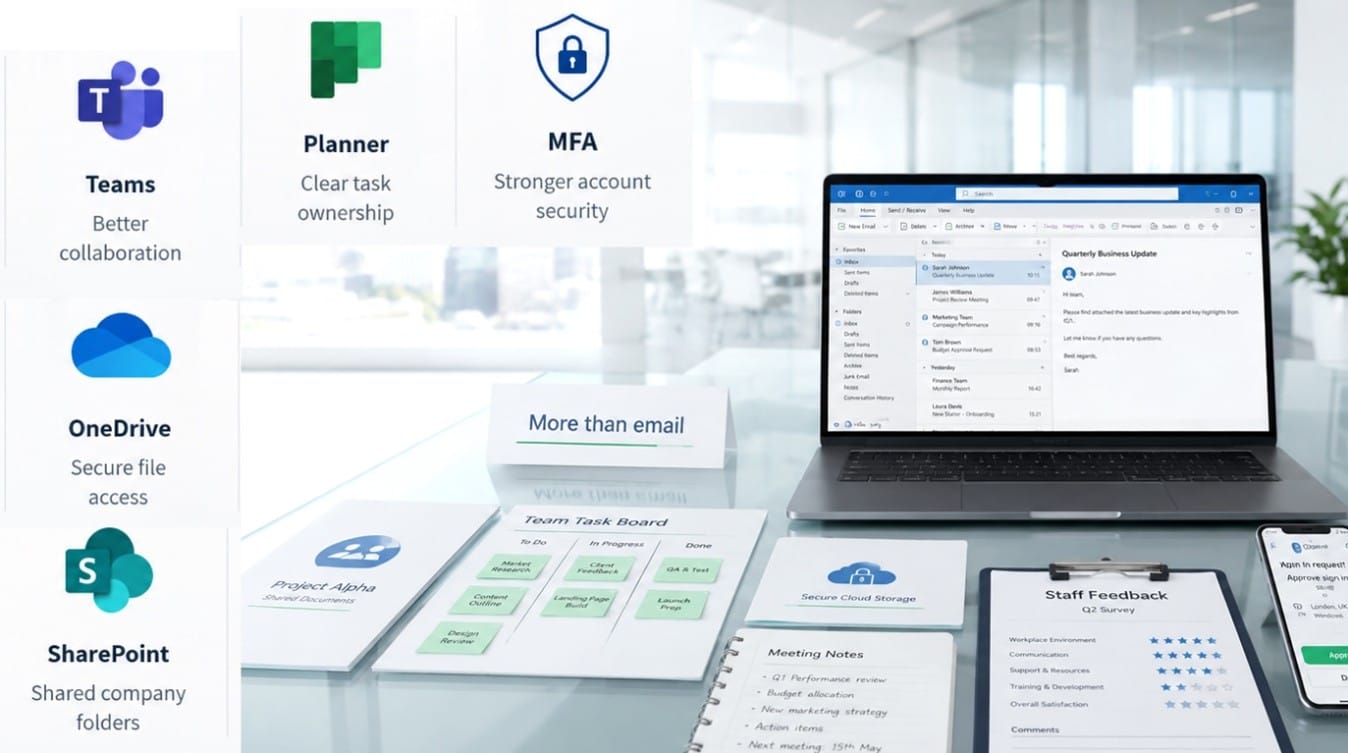
For many businesses, Microsoft 365 starts and ends with Outlook. It is an excellent email client, but stopping there means you are likely ignoring a suite of powerful tools included in your subscription.
By only using Outlook, companies miss opportunities to improve collaboration and productivity. You may already be paying for features that could significantly improve how your team shares files, manages tasks, collects information, and protects company data.
If you are looking for practical Microsoft 365 support for small businesses, this guide will explain what you might be missing and how using the full suite can benefit your organisation.
Why Businesses Often Only Use Outlook
It is very common for businesses to underutilise their software. Here are a few reasons why this happens:
- Familiarity: Staff are used to email and stick to what they know.
- Lack of training: No one has taken the time to explain the other tools.
- Old habits: Teams continue using legacy processes and local file servers.
- Rushed setup: Microsoft 365 was set up quickly without proper planning.
- Cost assumptions: Business owners assume extra tools mean extra cost.
- Confusion: Staff simply do not know which Microsoft 365 tool to use for which job.
- No internal process: There is no agreed way of working for Teams, SharePoint, or OneDrive.
What You’re Missing: Microsoft Teams
Teams is much more than just a chat and video calling app. It acts as a central hub for teamwork.
Instead of long, confusing email chains, Teams allows you to create specific channels for different projects or departments. You can share files directly within a conversation, keep meeting notes in one place, and hold internal or client discussions securely. Where available in your plan, you can even use meeting recordings and transcripts.
For small businesses, Teams helps keep conversations and files organised in one searchable place, making it easy for new staff to catch up on project history.
What You’re Missing: OneDrive
Think of OneDrive as your secure, personal cloud storage for work files.
Instead of saving documents to your local desktop, OneDrive allows you to access your files from any device, anywhere. It offers automatic syncing, file recovery, and version history, meaning you can easily restore an older version of a document if a mistake is made.
OneDrive also allows you to share files via a secure link rather than sending large email attachments. This reduces the risk of files being lost on a single computer and is especially useful for remote and hybrid working.
What You’re Missing: SharePoint
While OneDrive is for individual work, SharePoint is your shared company file and document management platform.
You can create shared folders for specific departments or projects, store central company policies, and collaborate on files in real time. SharePoint allows for controlled permissions, ensuring staff only see what they need to. It helps reduce duplicate documents and provides a much better organisation structure than storing everything in email attachments or shared network drives.
However, SharePoint needs a proper structure to work well; without it, files can become difficult to find.
What You’re Missing: Microsoft Planner
If your team relies on sticky notes or endless emails to track to-do lists, Planner is a game-changer.
Planner is a simple, visual task and project tracking tool. You can assign tasks to specific team members, set deadlines, and track progress using easy-to-read boards. It helps teams avoid missed responsibilities and gives managers a clear overview of project workloads. Many small businesses pay for separate, expensive task management tools when Planner may already meet their basic needs.
What You’re Missing: Microsoft Forms
Forms is a highly practical tool for collecting information quickly and efficiently.
You can use it to create customer feedback forms, staff surveys, holiday requests, IT support requests, event registrations, internal checklists, and new starter forms. Once submitted, the data is automatically compiled into a spreadsheet. Using Forms can drastically reduce back-and-forth emails and make data collection much easier.
What You’re Missing: Microsoft 365 Security Features
Depending on your specific subscription plan and configuration, Microsoft 365 includes robust
Microsoft 365 security options.
These features can include multi-factor authentication (MFA), advanced email security, spam and phishing protection, device access controls, user permissions, admin account protection, secure file sharing, and security alerts.
However, these features are only useful if they are configured properly. Out-of-the-box settings are rarely enough to fully protect a business from modern cyber threats.
Why Using Microsoft 365 Properly Improves Productivity
When used correctly, these business productivity tools offer clear, measurable benefits:
- Fewer long, confusing email threads.
- Better file organisation and easier remote working.
- Faster collaboration and clearer task ownership.
- Improved security and less time searching for documents.
- Better use of your existing licences.
- Reduced need to pay for extra, standalone software.
The Risk of a Poorly Configured Microsoft 365 Setup
Microsoft 365 can quickly become messy if it is not planned properly. A poor Microsoft 365 setup can lead to:
- Too many unorganised Teams channels.
- Unclear SharePoint folder structures and incorrect file permissions.
- Staff using personal storage instead of business storage.
- Weak security settings, lack of MFA, and inactive users still having access.
- Poor backup and recovery planning.
Proper Microsoft 365 optimisation and guidance help businesses avoid these problems and ensure the system works smoothly for everyone.
How Focus PC Can Help
Focus PC helps London businesses review, optimise, and support their Microsoft 365 environments. We provide expert Microsoft 365 consultancy to ensure you get maximum value from your existing licences without necessarily adding more software.
Our services include:
- Microsoft 365 setup and optimisation
- Microsoft 365 support London
- SharePoint and OneDrive setup
- Teams configuration
- Shared mailbox and email support
- Multi-factor authentication setup
- Cybersecurity review
- Cloud support London
- Staff guidance and training
- Managed IT support London
- Remote and onsite IT support for small businesses
Whether you need a one-off Microsoft 365 setup or ongoing managed IT support, our team ensures your technology works for your business.
Conclusion
Microsoft 365 is much more than just an email platform. If your business is paying for a subscription but only using Outlook, you are likely missing out on tools that can drastically improve collaboration, productivity, file management, and security.
By taking the time to configure and use the full suite of applications, you can streamline your operations and get a much better return on your software investment.
Call to Action If your business is paying for Microsoft 365 but only using Outlook, Focus PC can help you get more from your existing licences. Contact Focus PC for practical Microsoft 365 support, cloud setup, and small business IT support in London.