
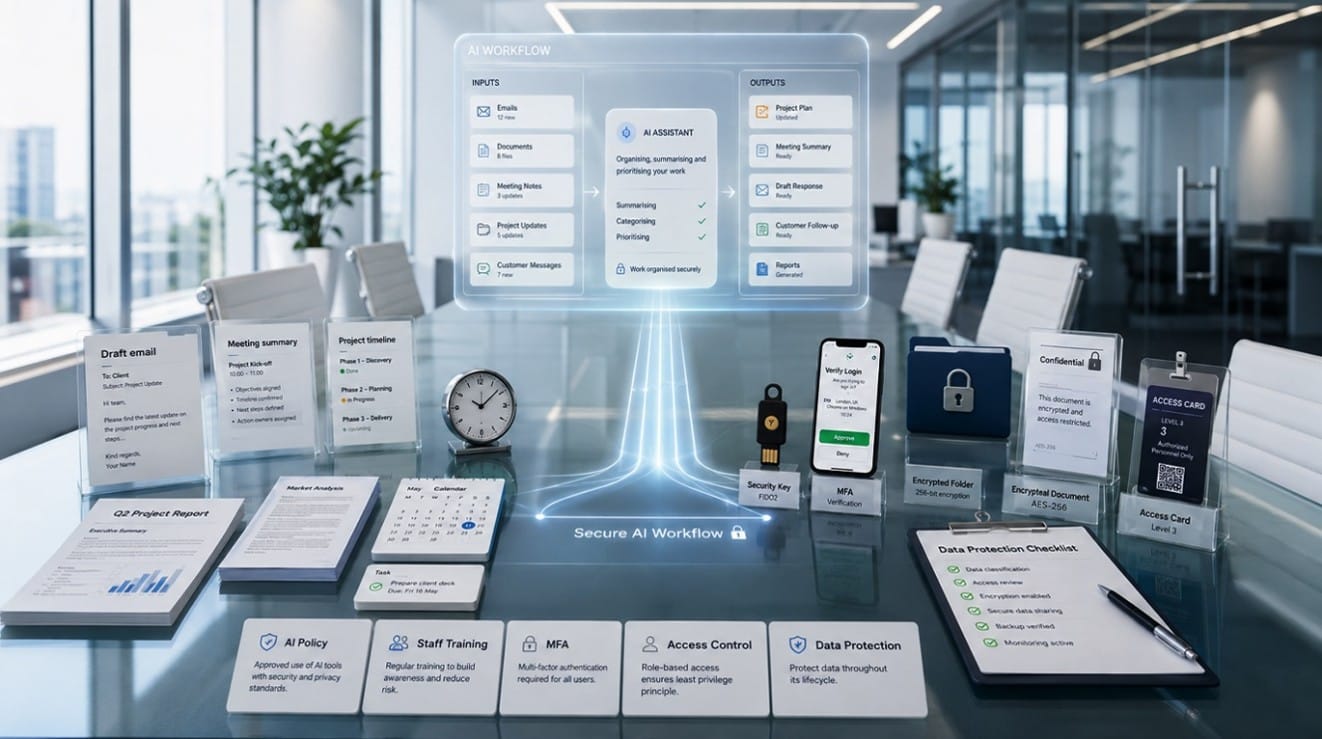
Artificial intelligence is rapidly becoming a standard part of everyday business tasks. From writing emails and summarizing documents to planning projects and handling customer communication, AI can significantly speed up admin work.
However, as these tools become more common, businesses must think carefully about data security, staff behavior, and access control. Implementing strong AI security for small businesses is essential to protect company information while enjoying the benefits of new technology.
This practical guide will help you understand how to use AI safely at work, balancing productivity with robust protection.
Why Businesses Are Using AI Tools
It is easy to see why AI tools for business are so popular. They offer immediate, practical benefits for daily operations. Common workplace uses include:
- Writing and editing emails
- Summarizing long documents
- Creating accurate meeting notes
- Drafting reports and proposals
- Analyzing complex information
- Generating creative ideas
- Improving customer response times
- Speeding up repetitive admin work
AI can save a tremendous amount of time, but only when used responsibly. Without the right safeguards, the time saved on admin could be lost dealing with a security incident.
The Security Risks of AI at Work
When discussing business cybersecurity, it is important to understand that the risk is rarely the AI tool itself. The real risk lies in how employees use it. The main risks include:
- Staff entering sensitive company data into public AI tools
- Customer information being copied into prompts
- Confidential documents being uploaded without approval
- Incorrect AI-generated content being trusted without checking
- Employees using unauthorised, free AI tools
- Weak account security on AI platforms
- Unclear company policies regarding technology use
Understanding these risks is the first step in protecting your organisation.
Never Enter Sensitive Data Without Approval
The golden rule of AI is to avoid entering confidential or personal information into public AI systems unless your business has explicitly approved it. Public AI models often use input data to train their systems, meaning your data could be exposed.
Examples of sensitive information that should never be entered include:
- Customer names and contact details
- Financial records and bank details
- Passwords and login details
- Contracts and legal documents
- Internal business plans and strategies
- Employee records and HR data
- Medical or regulated data
- Supplier pricing and negotiations
Your business must have clear, simple rules on what can and cannot be shared to ensure proper data protection.
Create a Clear AI Usage Policy
Every business should have a simple, easy-to-understand AI usage policy. This does not need to be a heavy legal document; it just needs to provide clear guidance for your team.
A practical policy should cover:
- Which AI tools are officially approved for use
- What data can be safely used in prompts
- What data must never be entered
- Who is responsible for checking AI outputs
- How AI-generated content should be reviewed before use
- Whether AI can be used for direct client work
- How staff should report mistakes or security concerns
A clear policy removes the guesswork for your employees and sets a standard for safe behaviour.
Train Employees on Safe AI Use
Technology policies are only effective if your team understands them. Staff training is essential to prevent accidental security mistakes.
Employees should understand that:
- AI tools can and do make mistakes (hallucinations)
- All AI outputs require human review
- Sensitive data must always be protected
- Phishing emails and scams may become more convincing due to AI
- Not every AI tool is safe for business use
- Company-approved tools should be used instead of random, free apps
Regular, brief training sessions help keep security at the forefront of your team’s mind.
Use Strong Access Controls
Access control simply means ensuring employees only have access to the files, systems, and data they actually need to do their jobs.
This is especially important when AI tools are connected to your Microsoft 365 environment, cloud storage, email, or internal systems. If an AI tool is granted broad access to your network, poor permissions could expose too much information to the AI, and potentially to others. Restricting access limits the potential damage if an account is compromised.
Enable Multi-Factor Authentication
Multi-factor authentication (MFA) adds a crucial extra layer of protection beyond a simple password. It requires users to verify their identity using a second method, such as a code on their phone or an authenticator app.
MFA helps protect email, Microsoft 365 accounts, cloud files, and business systems. It is especially important because compromised accounts can expose emails, files, and sensitive company data. If a password is stolen, MFA stops the attacker from logging in.
Review Microsoft 365 and Cloud Security Settings
If your business uses Microsoft 365, OneDrive, SharePoint, Teams, or other cloud platforms, you should review your security setup before introducing AI tools. AI works best when the underlying IT environment is organised and secure.
Key areas to review include:
- User permissions and admin accounts
- File sharing settings
- Email security and spam filtering
- Device security and conditional access
- Backup and recovery processes
- Teams and SharePoint access controls
- Data retention settings
Strong Microsoft 365 security ensures that when AI tools access your data, they are doing so within a secure, well-managed environment.
Choose Business-Ready AI Tools
When selecting AI tools for business, choose platforms that offer appropriate security, admin controls, privacy settings, and integration options.
Free or personal AI tools often lack the enterprise-grade controls required for business use. Business-ready platforms allow administrators to manage user access, monitor usage, and ensure data is not used to train public models. Keep in mind that tool availability, features, and security controls may depend on your specific subscription plan.
Keep Human Review in the Process
AI should support your employees, not replace their judgement. Staff should always check AI outputs for:
- Facts and accuracy
- Appropriate tone
- Correct customer details
- Legal or financial accuracy
- Technical advice
- Confidentiality breaches
- Alignment with your brand voice
Human review prevents embarrassing mistakes, ensures accuracy, and protects your business reputation.
How Focus PC Can Help
Navigating new technology can be challenging, but you do not have to do it alone. Focus PC helps businesses in London use AI tools safely by reviewing your IT setup, improving Microsoft 365 security, setting up multi-factor authentication, and creating safer cloud workflows.
We advise on practical AI usage policy creation and provide ongoing managed IT support London businesses can rely on. Whether you need an AI readiness review, better cloud security, or reliable IT security support London, our team is here to help. We provide comprehensive cybersecurity for small businesses, ensuring you get the best IT support for small businesses through both remote and onsite IT support.
Conclusion
AI can be incredibly valuable for productivity, but only when used with clear rules and strong cybersecurity. Safe AI use requires practical policies, staff training, strict access control, multi-factor authentication, and proper Microsoft 365 and cloud configuration. By taking a balanced, proactive approach, you can enjoy the benefits of AI without putting your business at risk.
If your business wants to use AI tools safely without putting sensitive data at risk, Focus PC can help. Contact Focus PC for practical cybersecurity support, Microsoft 365 security, and small business IT support in London.